
Delete your account
Sorry to see you go. You can permanently delete your 21 Days Challenge account and all associated data from inside the app in just a few taps — here's how.
How to delete from the app
Open 21 Days Challenge on your phone and follow these five steps:
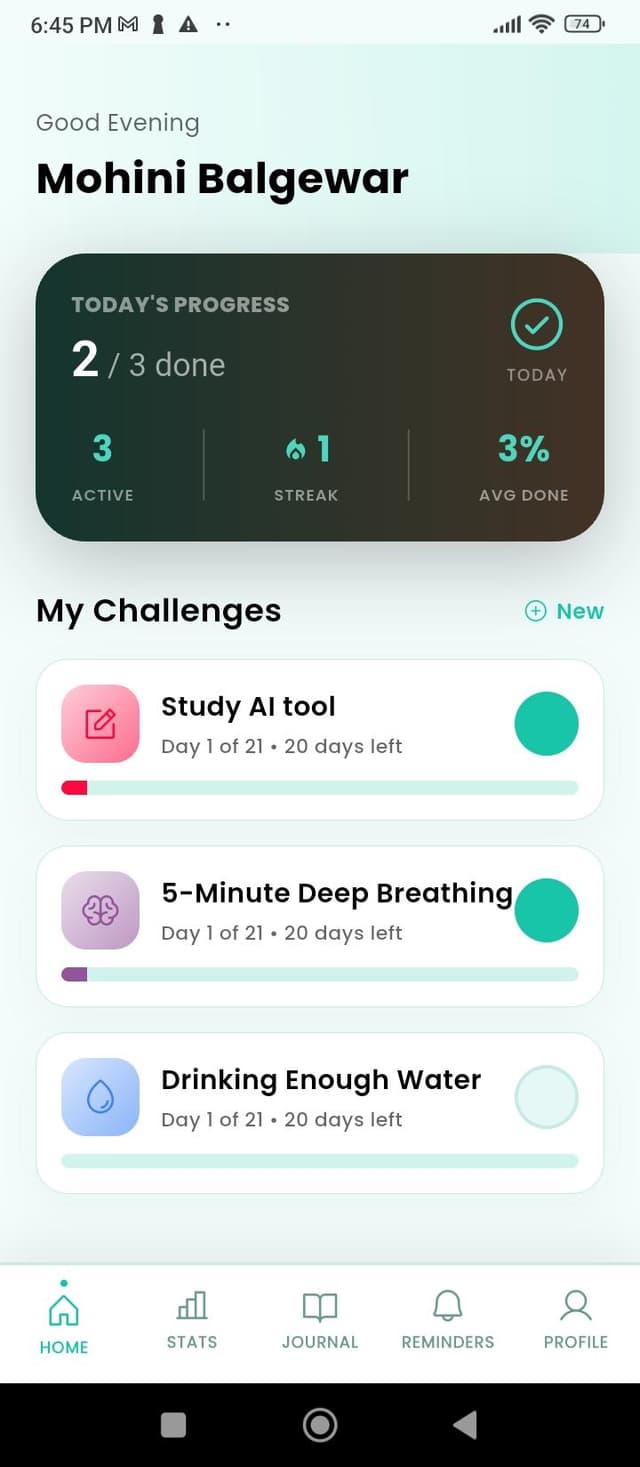
Launch 21 Days Challenge. You'll land on the Home screen with your daily challenges.
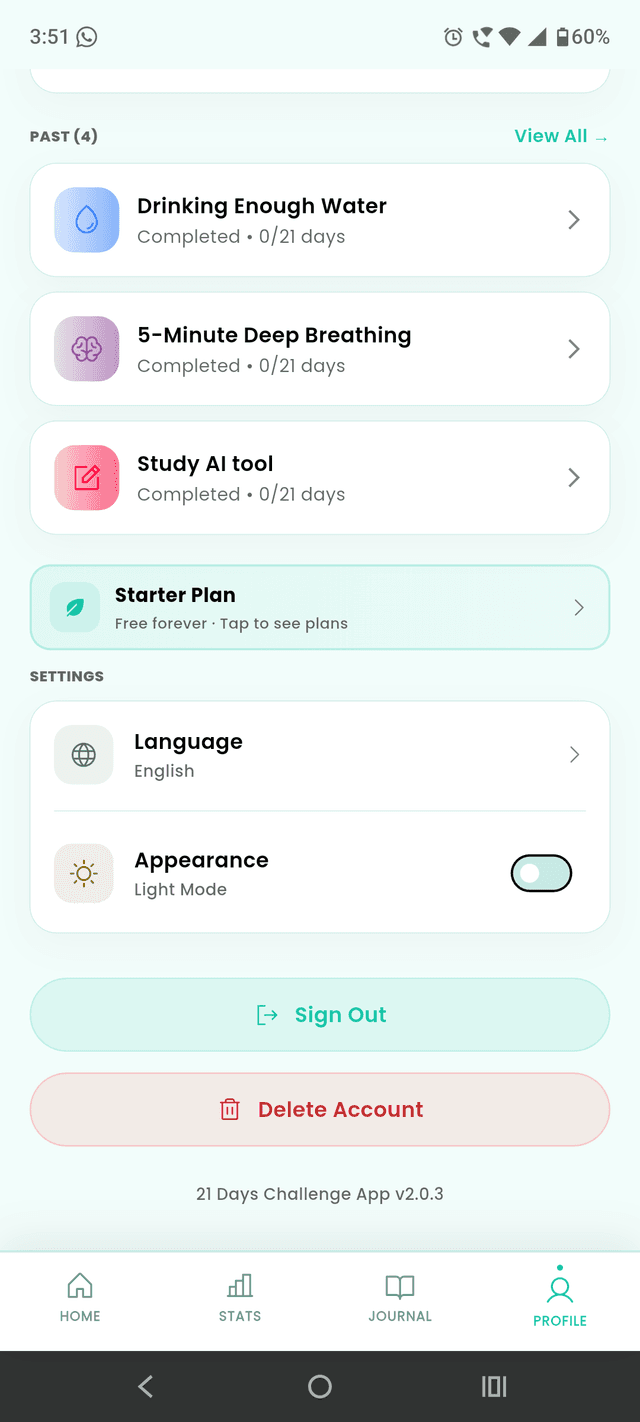
Tap the Profile tab on the far right of the bottom navigation bar.
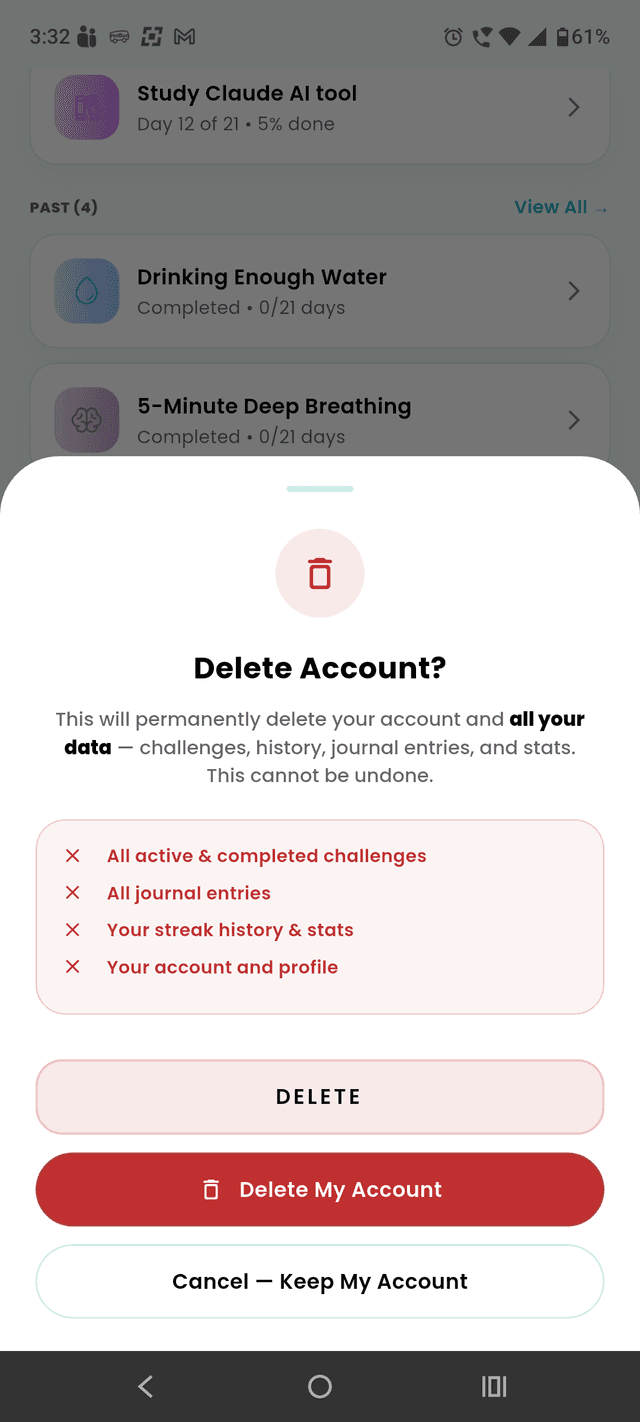
Scroll to the bottom of the Profile screen and tap the red Delete Account button.
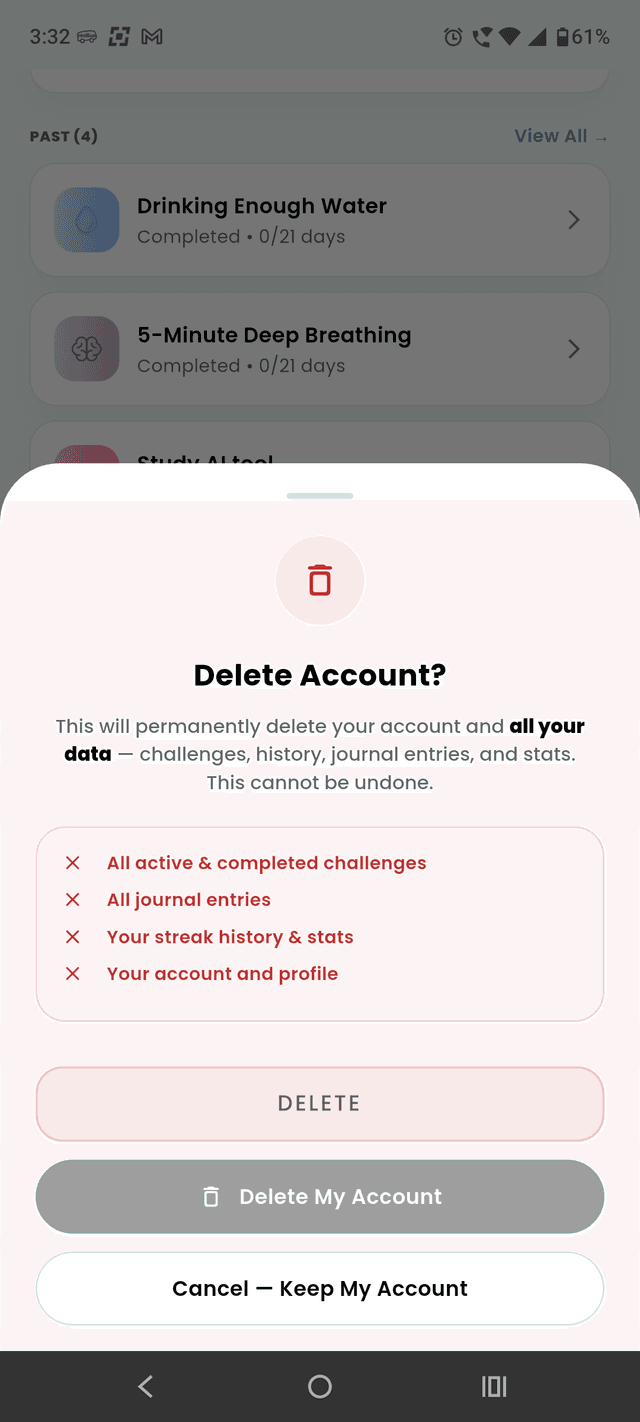
In the popup, tap Delete My Account to permanently remove your account and data.
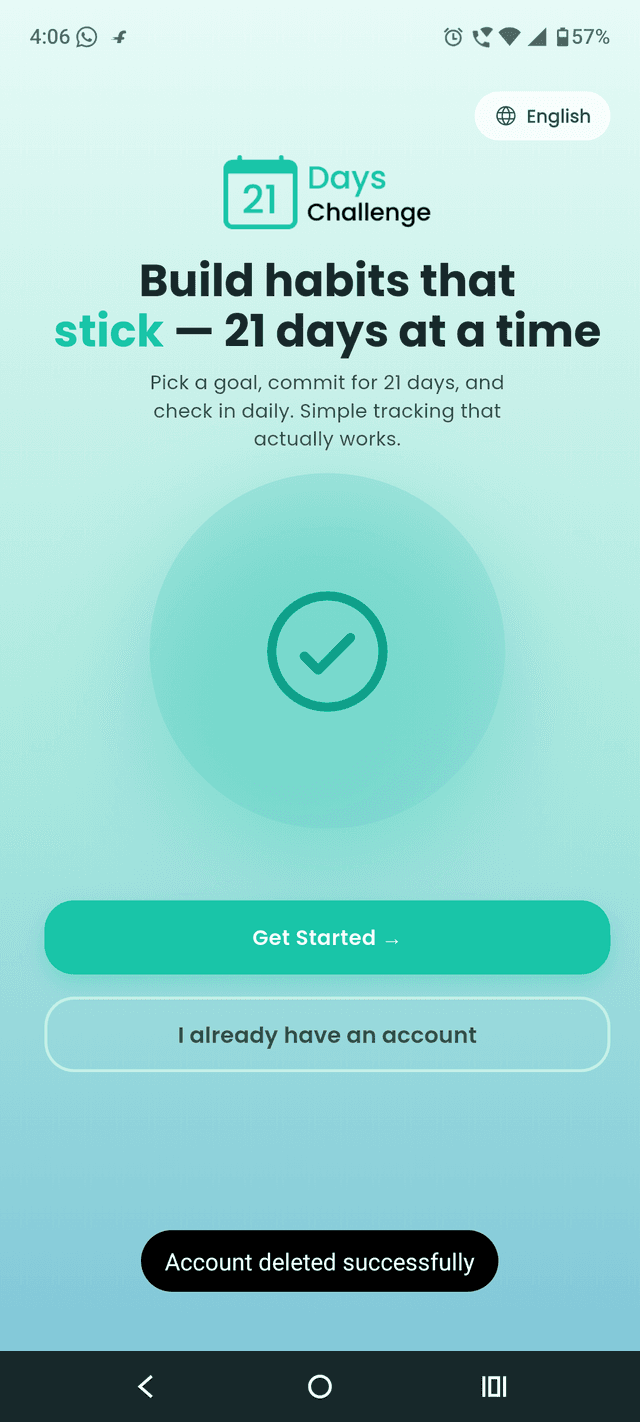
You'll be signed out and returned to the welcome screen with an "Account deleted successfully" confirmation.
What gets deleted
Removed permanently
- Your name, email, and password
- All challenges, active and past
- Daily check-ins, streaks, and history
- Journal entries and mood logs
- Badges, milestones, and reminders
- Cross-device sync data
Retained briefly (if applicable)
- Payment / transaction records required by law (typically 7 years)
- Aggregated, anonymous usage statistics that can't be tied to you
- Backup snapshots, deleted within 30 days of your request
Can't access the app?
If you're locked out or can't reach the in-app option, email us at info@ilomatechnology.com from the address tied to your account. We'll verify your identity and process the deletion within 30 days.
For any other privacy or account questions, see our Privacy Policy.